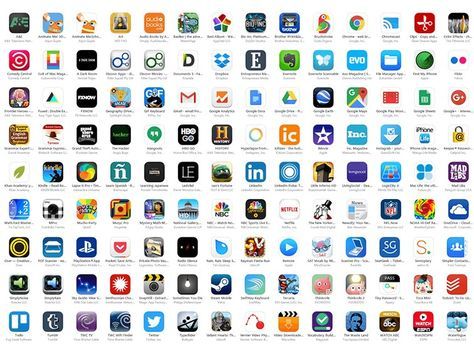
In the modern academic and corporate landscape, digital fluency is no longer a competitive advantage; it is a baseline requirement. The sheer volume of tasks—from managing collaborative projects to synthesizing research—demands a curated ecosystem of software. However, the app marketplace is saturated with noise. The following selection is not a random list of popular downloads. It is a strategic toolkit built on three pillars: cognitive load reduction, seamless interoperability, and cross-platform reliability. Whether you are defending a thesis or delivering a quarterly report, these applications will serve as force multipliers for your output.
1. The Command Center: Task and Project Management
Chaotic schedules are the primary enemy of productivity. Both students juggling semester deadlines and professionals navigating sprint cycles need a centralized command center. The right tool does not merely track tasks; it visualizes dependencies and time allocation, enabling proactive decision-making rather than reactive firefighting.
Notion
Notion has transcended the category of a note-taking app to become a modular workspace. Its power lies in its block-based architecture, allowing users to construct custom dashboards that combine wikis, kanban boards, and relational databases. For students, this means consolidating lecture notes with assignment trackers and research databases. For professionals, it serves as a company wiki, a project roadmap, and a meeting notes repository simultaneously. The learning curve is steep, but the return on investment in organizational clarity is exponential.
Todoist
For those who prefer a lighter, more atomic approach, Todoist excels at rapid capture and natural language processing. You can type “Review Q3 metrics every Friday at 9am” and the system parses the date and recurrence instantly. Its strength is its universal availability—from smartwatches to browser extensions—ensuring that the friction between thought and capture is minimized.
| Primary Use Case | Holistic workspace & documentation | Linear, deadline-driven task lists |
| Database Capabilities | Advanced (relational filters) | Basic (labels & filters) |
| Offline Mode | Partial (desktop only) | Full sync on mobile |
| Best For | Complex, interconnected projects | Personal GTD (Getting Things Done) |
2. The Research Engine: Information Synthesis
Information is abundant; context is scarce. Students must triangulate sources for essays, while professionals must analyze industry reports and market trends. The essential apps in this category do not just store PDFs—they extract meaning from them.
Zotero
For academic rigor, Zotero remains the gold standard for reference management. Unlike cloud-based rivals, Zotero offers local storage with optional sync, giving users full control over their privacy. Its browser connector captures metadata from library databases, JSTOR, and arXiv with a single click. When integrated with Word or Google Docs, it generates citations in any format (APA, MLA, Chicago) without requiring manual formatting adjustments. For professionals, this translates into impeccable sourcing for white papers and compliance documentation.
Readwise Reader
This is a game-changer for high-volume consumers of digital content. Reader aggregates articles, newsletters, RSS feeds, and even PDFs into a unified, distraction-free reading interface. Its standout feature is the spaced repetition integration—highlighted passages are automatically converted into flashcards and resurfaced at optimal intervals. This transforms passive reading into active recall, a technique proven to enhance long-term retention, vital for cumulative exams or mastering new technical skills.
3. The Communication Fabric: Collaboration Without Noise
Efficient collaboration is measured not by the number of messages sent, but by the speed to consensus. Both university group projects and cross-functional corporate teams suffer from communication fragmentation across email, chat, and video calls.
Slack
While ubiquitous, Slack’s true power is often underutilized. Move beyond simple DMs. Use canvas documents for living agendas and workflow builder to automate routine requests—like asking for status updates. For students, creating a dedicated channel per course with pinned resource threads prevents crucial links from being buried. For professionals, integrating Slack with GitHub, Jira, or Salesforce brings operational data into the conversational flow, eliminating the need to switch tabs constantly.
Otter.ai
Meeting and lecture capture is no longer about recording audio; it is about generating searchable, actionable transcripts. Otter.ai provides real-time transcription with speaker identification. For a student, this means never missing a formula or a nuance during a fast-paced lecture. For a professional, the app integrates directly with Zoom and Google Meet, automatically generating meeting summaries and action items. The ability to search a transcript for a specific keyword—like “budget” or “launch date”—is a massive efficiency gain over scrubbing through video files.
4. The Cognitive Shield: Focus and Distraction Blocking
The scarcest resource is not time; it is sustained attention. Both demographics face an epidemic of interruption. The following apps act as digital bouncers, enforcing rigorous boundaries.
Freedom
Unlike simple website blockers, Freedom operates at the network level across all your devices simultaneously. You can create sessions that block entire categories (social media, news, gaming) while allowing necessary research domains. Its “Locked Mode” prevents you from bypassing the block mid-session, which is crucial for maintaining discipline during deep work blocks. For students pulling all-nighters, it prevents the subtle drift to YouTube; for professionals, it protects the two-hour window reserved for strategic analysis.
Brain.fm
While music playlists can be distracting, functional audio uses neural phase-locking to guide brainwave patterns. Brain.fm generates music engineered to induce states of focus, relaxation, or sleep. Its algorithms are backed by peer-reviewed research. Users report a noticeable reduction in the “startup friction” when transitioning into challenging intellectual tasks. This is not entertainment; it is a biological performance enhancer delivered through headphones.
5. The Storage Backbone: Cloud Security and Access
The final pillar is data integrity. Losing a project file is catastrophic, whether it is a dissertation or a client deliverable. The solution is a layered approach combining synchronization with version history.
Dropbox (Advanced Tier)
While Google Drive and OneDrive are often baked into institutional ecosystems, Dropbox remains superior for file recovery and sync granularity. Its “Extended Version History” allows you to roll back any file to any point in the last 180 days, an invaluable safety net against accidental deletions or ransomware attacks. For professionals handling large design files (Photoshop, CAD), Dropbox’s block-level sync ensures only the changed parts of a file are uploaded, making it dramatically faster on poor connections than other providers. Its Smart Sync feature also frees up local SSD space by keeping files as cloud placeholders.
Strategic Integration: The Workflow Matrix
No single app operates in a vacuum. The true competitive edge comes from interconnectivity. Here is a recommended workflow alignment for a typical high-stakes project:
The Professional’s Takeaway: Adopting this toolkit is not about learning new software. It is about adopting a system of discipline. The best app is the one you use with consistency. Start by integrating one application from each category during your next academic term or business quarter. Master its shortcuts and integrations. Then, build the next layer. The result will be a measurable reduction in administrative overhead and a significant increase in the quality of your intellectual output. In a world that demands constant performance, a well-architected digital environment is your most reliable ally.
Leave a Reply